.png)

Your personal digital protection, always within reach
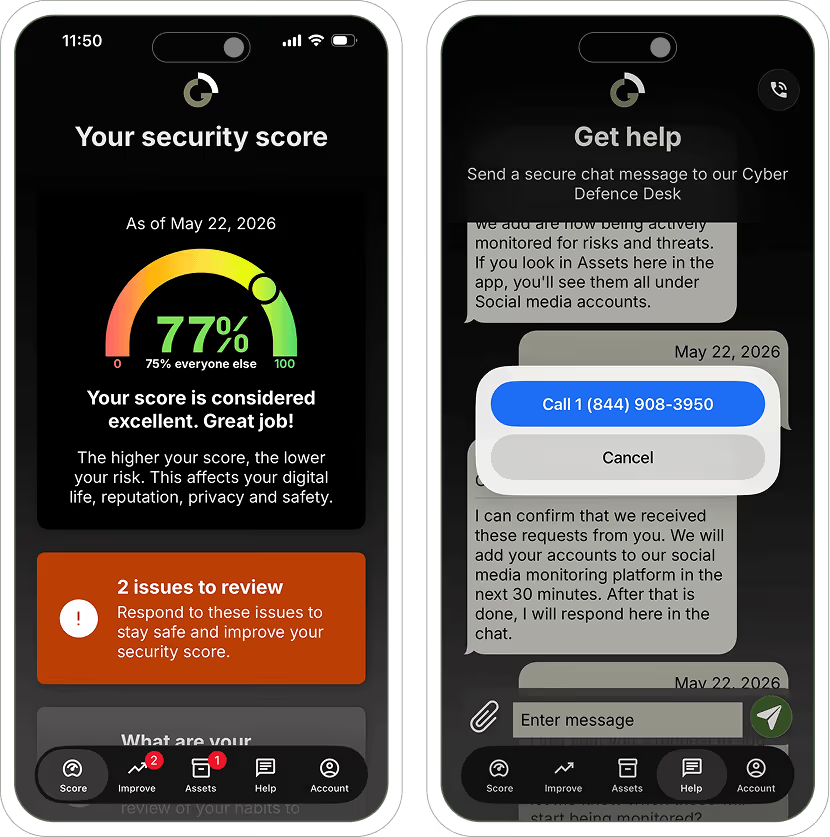
The Richter Guardian mobile app gives clients a simple way to view their security score, review alerts, manage monitored assets, and contact the Cyber Defence Desk when something needs attention. Designed for iOS and Android, the app helps make ongoing protection visible between conversations, monthly scorecards, and support requests.
- Understand your personal digital risk at any time
- Review monitored assets, alerts, and recommended next steps
- Contact the Cyber Defence Desk directly from the app



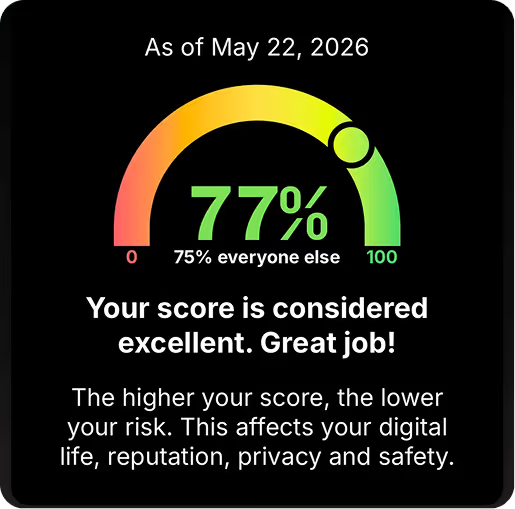
View your current security score, key issues, and recommended next steps in one place.
In the app, you can:

Review the habits that affect your personal digital risk, including passwords, MFA, social media privacy, and phishing awareness.
Habit reviews may include:

See the email addresses, social media accounts, and devices being monitored by Richter Guardian, and request additions as your digital life changes.
Monitored assets may include:
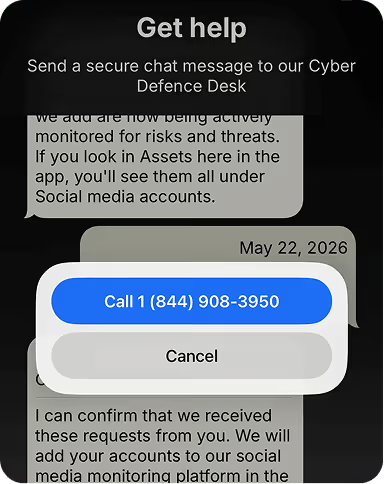
Use the app to contact the Cyber Defence Desk when something feels suspicious, confusing, or urgent.
Use the app to:
%20(1).png)
Your protection, in the app and in your scorecard
Both the app and the Monthly Security Scorecard help make your ongoing protection easier to understand. The app is interactive and available any time. The Monthly Security Scorecard is a PDF report emailed to clients each month, showing the month’s score, key recommendations, monitored assets, and areas requiring attention.
How to get started
Onboard
Complete your onboarding session so Guardian can confirm your monitored assets and protection setup.
Download
Download the Richter Guardian app from the App Store or Google Play once available.
Sign in
Use the login details provided by the Guardian team, or contact the Cyber Defence Desk if you need help accessing your account.
Review
View your security score, monitored assets, alerts, and digital habits in the app.
Stay connected to your protection anywhere
Download the app once available and log in to your client account to view your score, review monitored assets, and contact the Cyber Defence Desk.
FAQs
The Richter Guardian app helps clients view their security score, review issues, manage monitored assets, review digital habits, and contact the Cyber Defence Desk when something needs attention. New capabilities are added to the app on an ongoing basis, so your protection continues to grow alongside you.
A security score is a simple indicator of your current digital risk level. The higher the score, the lower your risk. The score is based on threats, compromises, habits, monitored assets, and other risk signals.
Assets are items Richter Guardian monitors as part of your protection. These can include email addresses, social media accounts, mobile phones, tablets, and computers.
The app is interactive and available on your phone. The Monthly Security Scorecard is a PDF report emailed to clients each month. Many clients may use both.
No. The app is designed to make protection more visible and easier to access, but clients can still rely on the Monthly Security Scorecard if they prefer a more traditional format.
Use the app to contact the Cyber Defence Desk, or contact directly if the concern is urgent. The team will review the situation and guide next steps.
Yes. The app is designed for iOS and Android.
Your score updates regularly as Guardian reviews threats, compromises, habits, monitored assets, and other risk signals. The Monthly Security Scorecard shows an average score for the month.
Contact the Cyber Defence Desk at support@richterguardian.com or +1 844-908-3950. The team can help confirm your account access and next steps.
Need help with the app?
If you have trouble logging in, need help reviewing an alert, or want to add an asset, contact the Cyber Defence Desk. You can also use the app to send a secure chat message once you’re logged in.